STEP 1 - Reboot the machine, and verify the FW version.
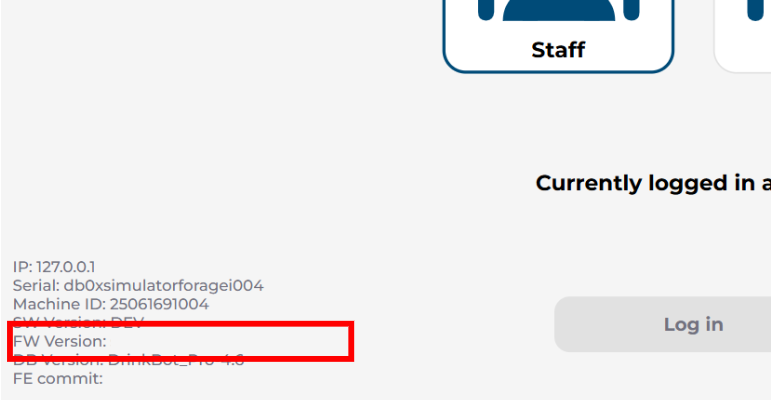
- Result 1 - FW version is displayed.
Start STEP 4. (Root cause: temporary MCU disconnected. Need PSE to check if further research is required or not.) - Result 2 - FW version is empty.
Start STEP 2.
STEP 2 - Reconnect the USB Type-C cable between the control board & Tinker board, then reboot (Press the reset button for 10 secs) and verify the FW version.
- Result 1 - FW version is displayed.
Start STEP 4. (Root cause: USB cable disconnected) - Result 2 - FW version is still empty.
Start STEP 3.
STEP 3 - Replace the control board (see SOP here). Contact PSE for the software update. Power on the machine to perform the software update, then verify the firmware version.
- Result 1 - FW version is displayed.
Start STEP 4. (Root cause: Control board failure) - Result 2 - FW version is still empty.
Escalate to PSE.
STEP 4 - Go to the “Control” page, and verify the functionality for every item. Then make a few drinks (covering all the ingredients) and verify the tastes.
- Result 1 - All the functionalities (except for “Cold hot water valve”) & drink tastes meet the standard.
Issue closed. - Result 2 - Any functionality is in issue.
Start the corresponding component troubleshooting process.
Was this article helpful?
That’s Great!
Thank you for your feedback
Sorry! We couldn't be helpful
Thank you for your feedback
Feedback sent
We appreciate your effort and will try to fix the article